Back to News

Ultra-High Power Dual Output 8-Phase PWM Controller IS6201A User Guide

1. Product Guide

The IS6201A is a dual-output digital multiphase step-down controller designed for CPU voltage regulation, fully compliant with the PMBus 1.3.1 specification. It comes in a 7mm × 7mm QFN-56 package and can be paired with up to 8 IVS self-developed DrMOS devices in three current ratings (30A/70A/90A) to deliver stable high current output.

The IS6201A utilizes IVS's proprietary patented Turbo Constant On-Time (TCOTTM) control algorithm to achieve lightning-fast transient response. It incorporates proprietary efficiency shaping technology for outstanding efficiency across the entire load range. The dynamic phase control function can increase/decrease the number of active phases based on load current.

Chip CategoryDual Output Multiphase Step-Down Controller
ModelIS6201A-0000
VCC Voltage3.3V
Output Voltage0.4V-2V
ProtocolPMBus/SVI2
Frequency200kHz-2MHz
Phase Configuration8+0/ 7+1/ 6+2/……
Operating Temperature Range-40℃ to 125℃
ApplicationsServers, High-End Desktops, Graphics Processors, Memory, etc.
Figure 1 Basic Specifications of IS6201A
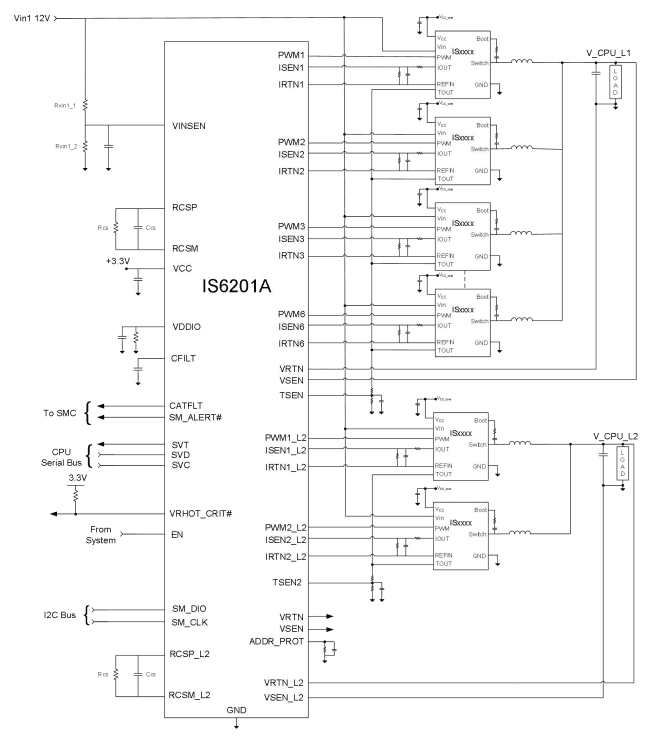
Figure 2 IS6201A Typical Schematic Diagram

The IS6201A is compatible with both PMBus and AMD SVI2 digital communication protocols. Users can configure the chip's output voltage, read back the output voltage, and perform other functions via PMBus or AMD SVI2 communication. To assist customers in quickly and efficiently completing their product design and integration, this article will systematically elaborate on the usage instructions and layout recommendations for the IS6201A, clearly introducing key considerations for using this chip.

2. GUI Usage Guide

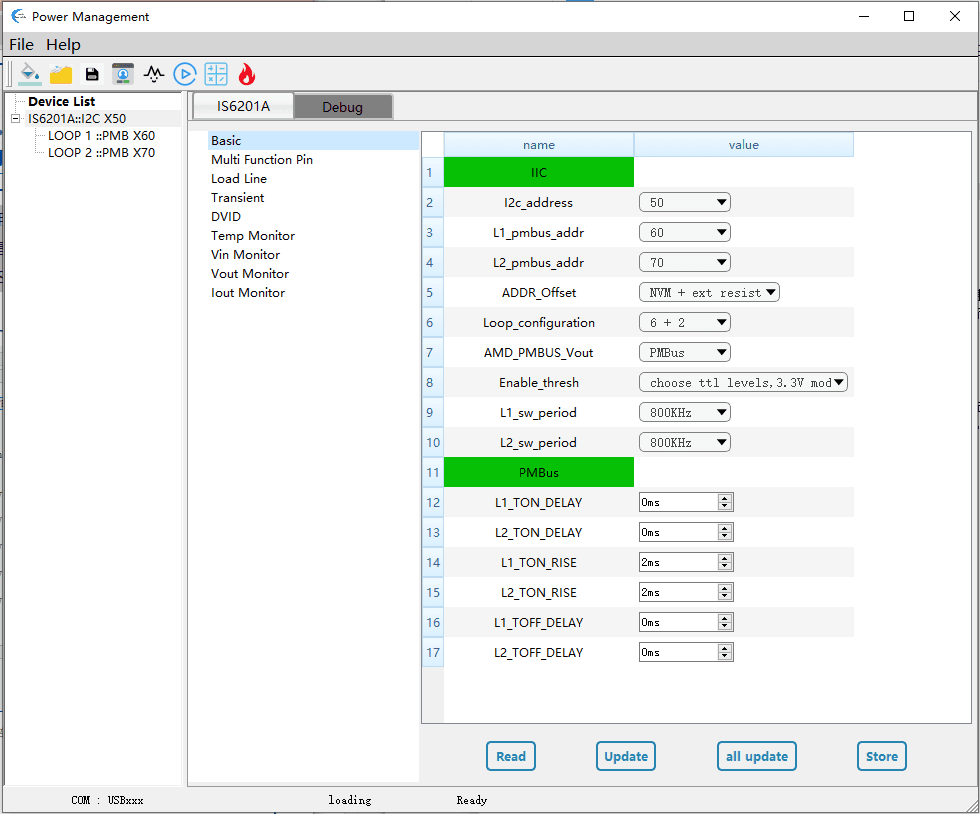
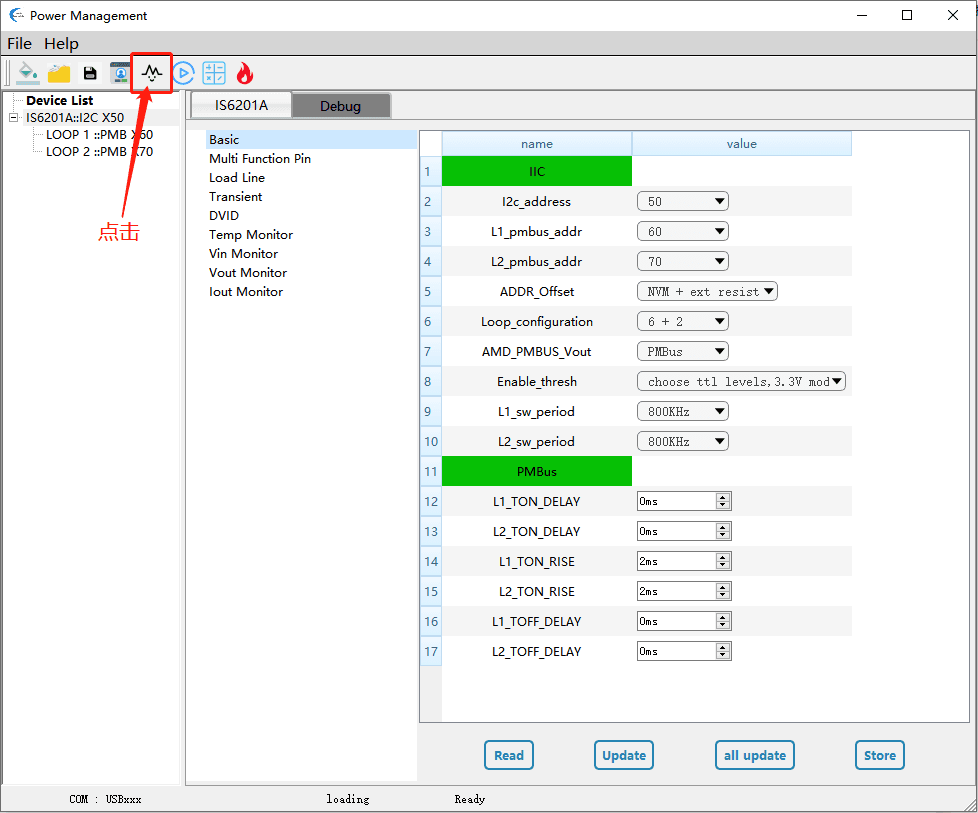
The IS6201A supports SMBus/PMBus system interfaces and can be easily configured using a GUI. The GUI is a graphical user interface software tool independently developed by IVS for use with IS6201A designs. It helps users debug internal configurations more quickly and intuitively. The IS6201A GUI follows the PMBus protocol and communicates with the IS6201A chip via a USB-to-I2C (Dongle) interface.

Figure 3 IS6201A GUI Software Interface

3. GUI Write and Programming Steps

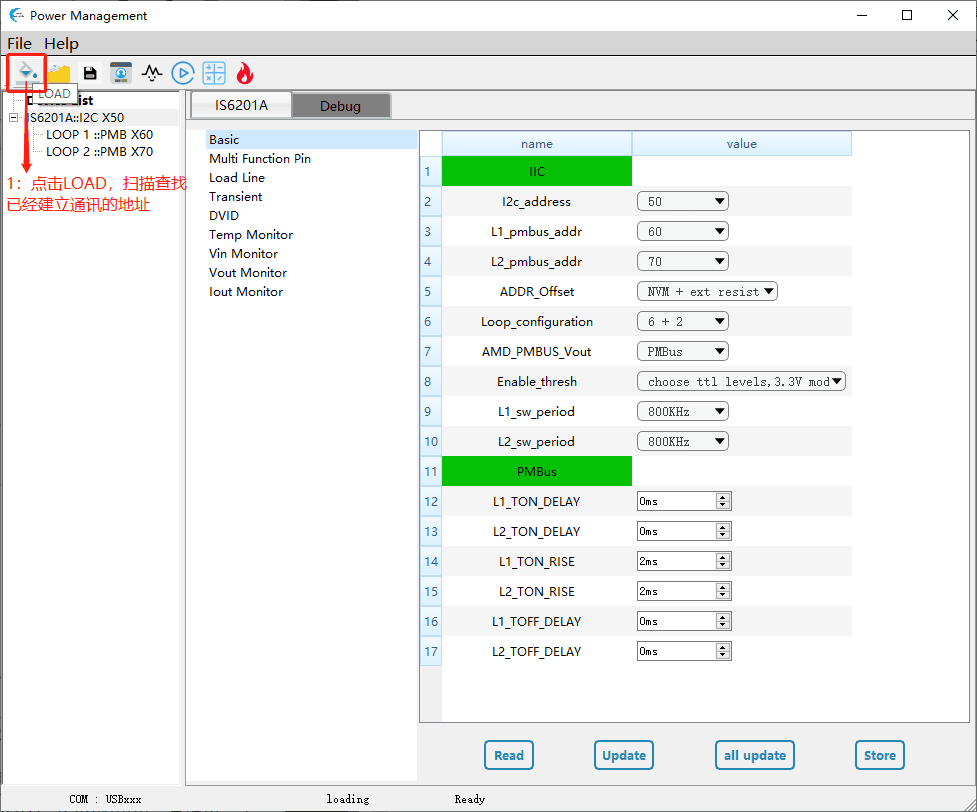
Step 1: Click LOAD to scan and find the address of the established communication link.

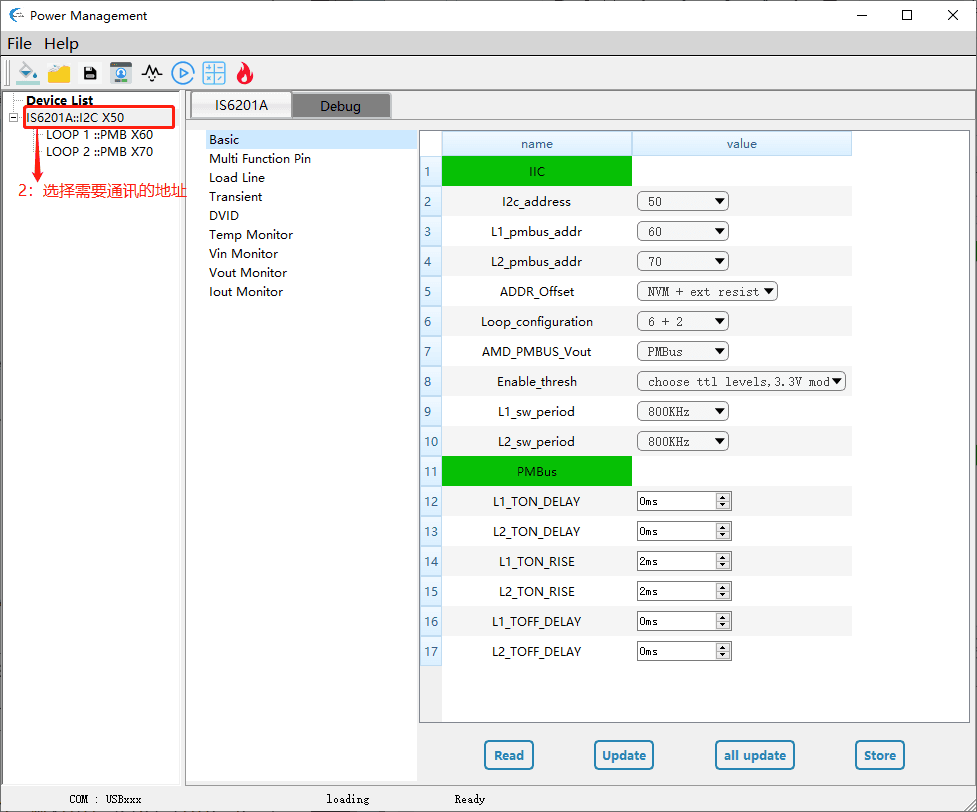
Step 2: Select the address to communicate with.

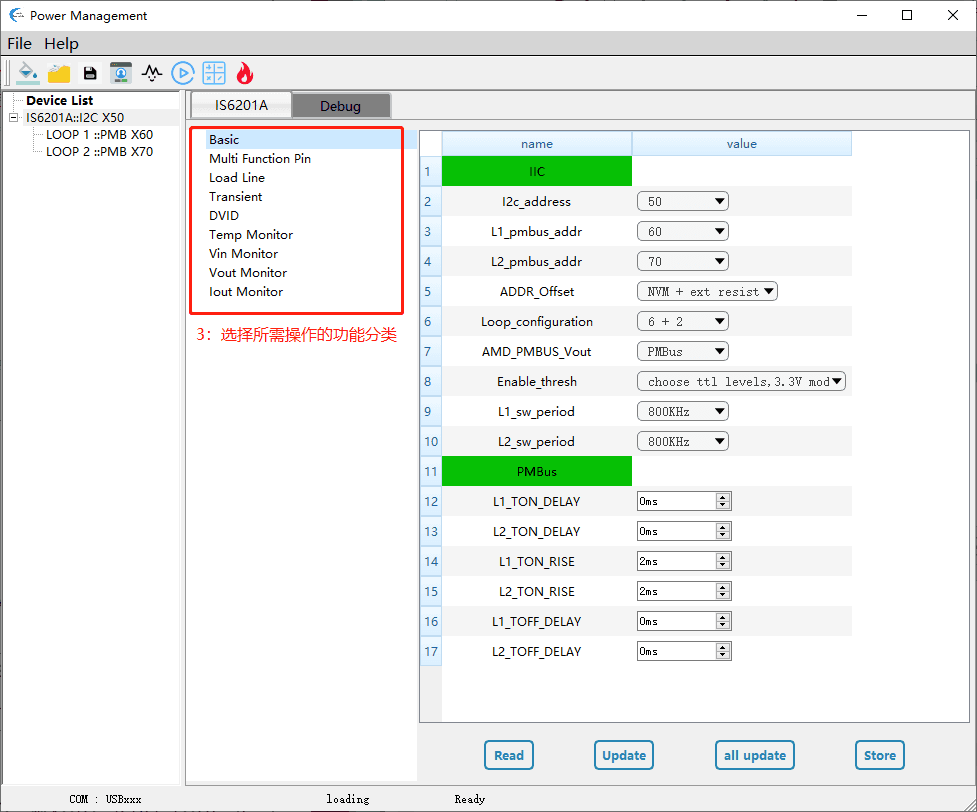
Step 3: Select the functional category for the desired operation.

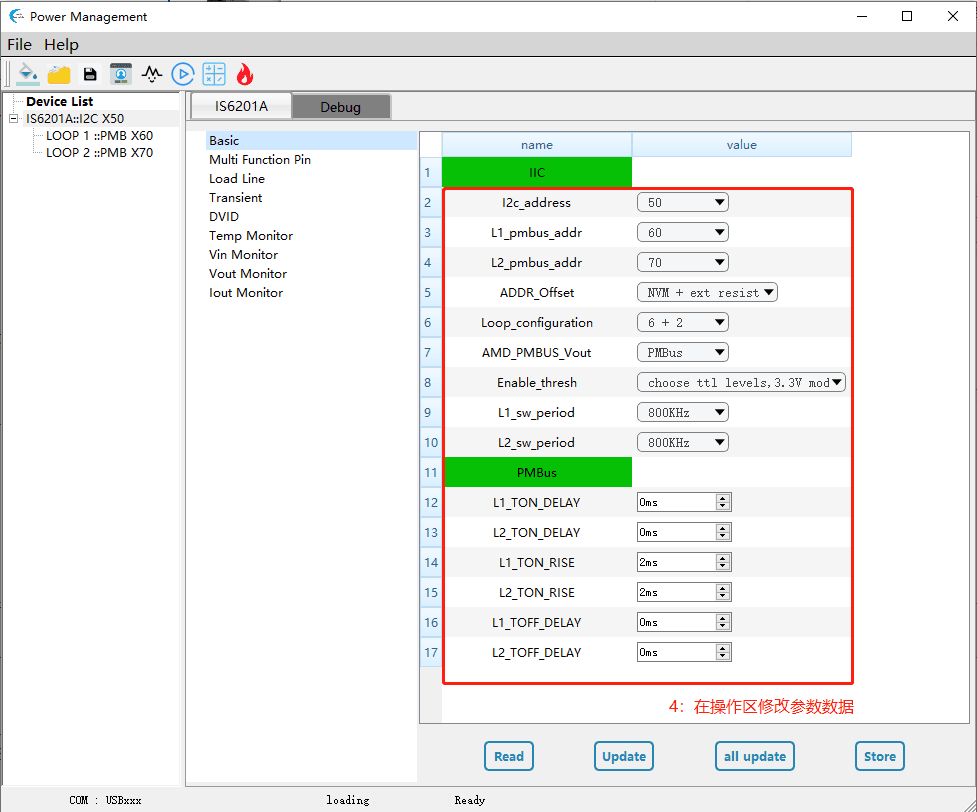
Step 4: Modify parameter data in the operation area.

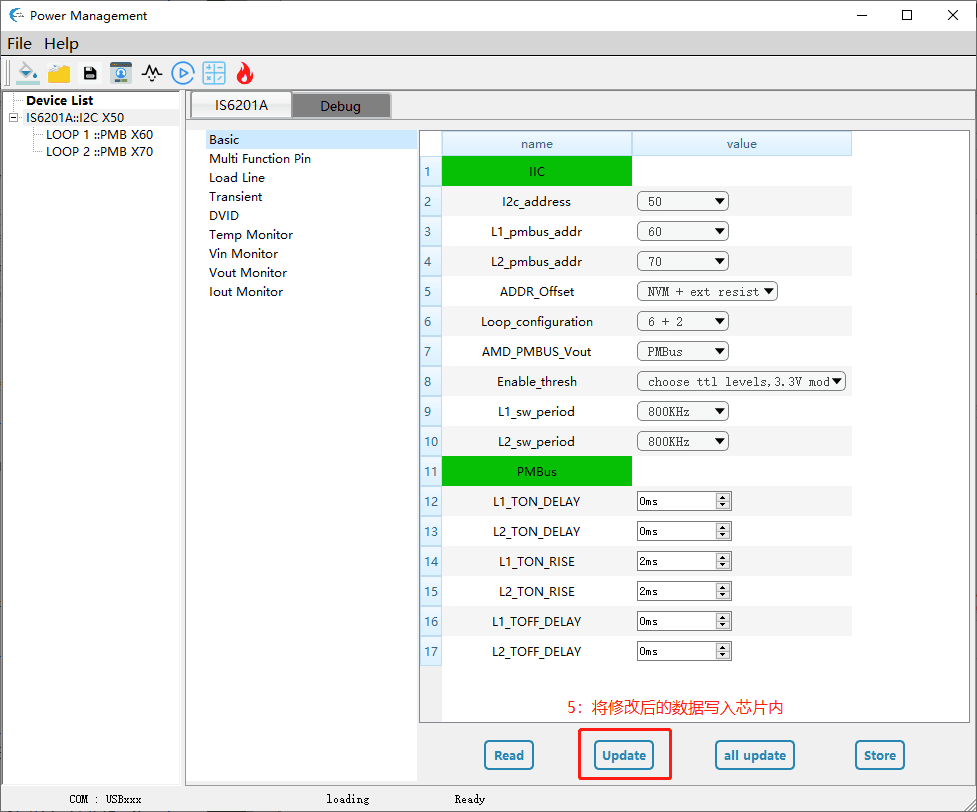
Step 5: Write the modified data into the chip.

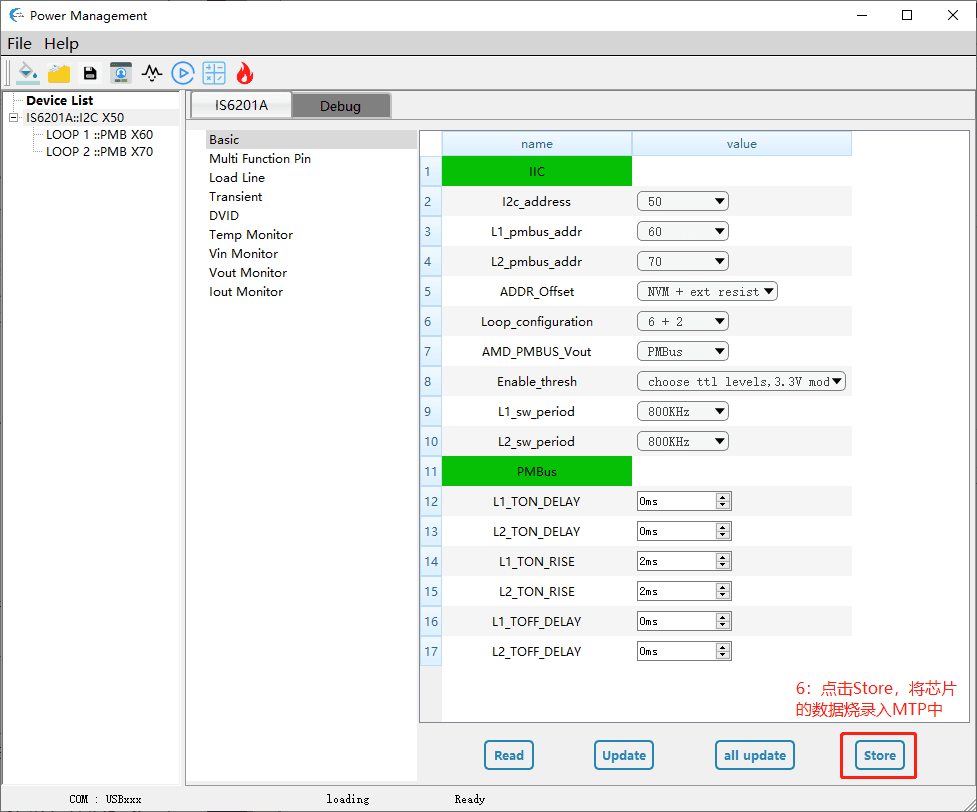
Step 6: Click Store to program the data from the chip into the MTP.

4. Output Voltage Adjustment

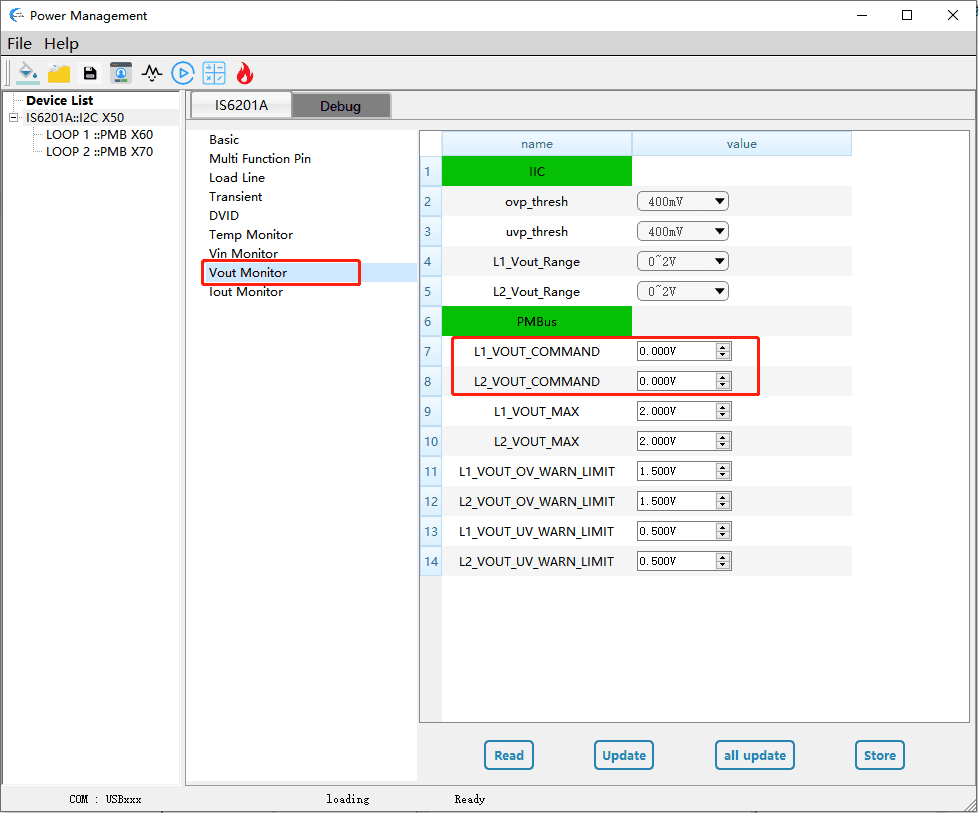
In PMBus mode, to modify the output voltage values of the two Loops, enter the desired voltage values into the corresponding VOUT_COMMAND fields, then click the Update button to complete the write operation.

5. Output Phase Count and Frequency Adjustment

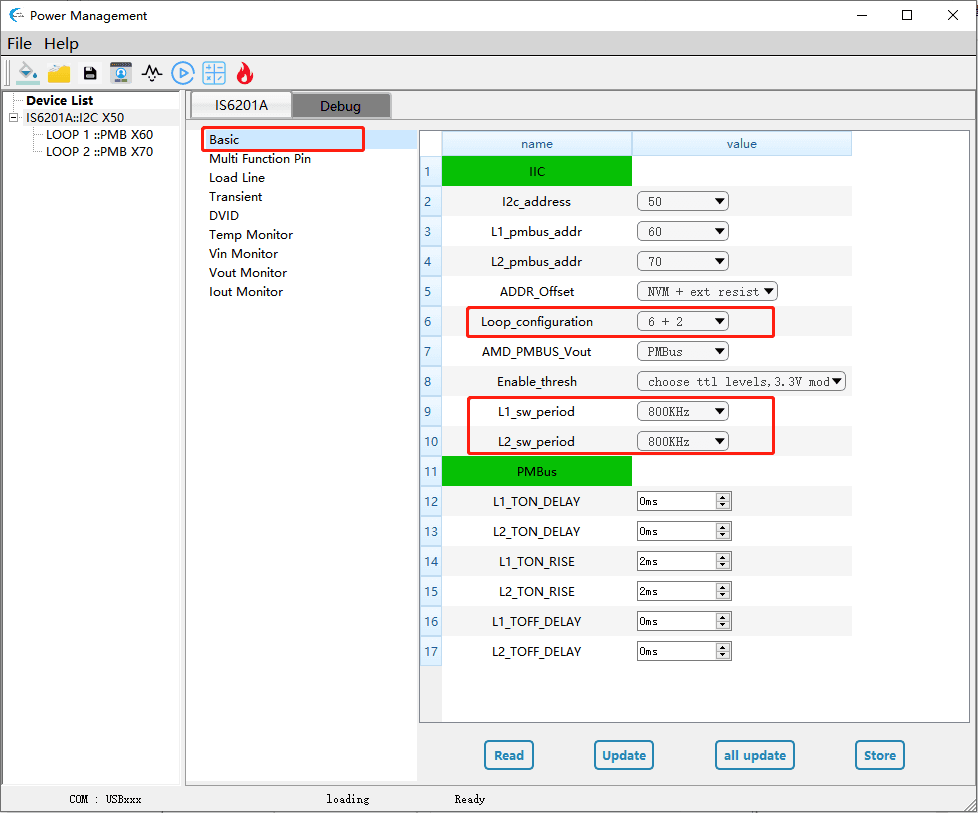
To modify the phase configuration combination for the two Loops, adjust the Loop_configuration. To modify the switching frequency of the two Loops, adjust L1_sw_period/L2_sw_period, then click the Update button to complete the write operation. The default switching frequency is 800kHz for both.

6. Input Threshold Voltage Adjustment

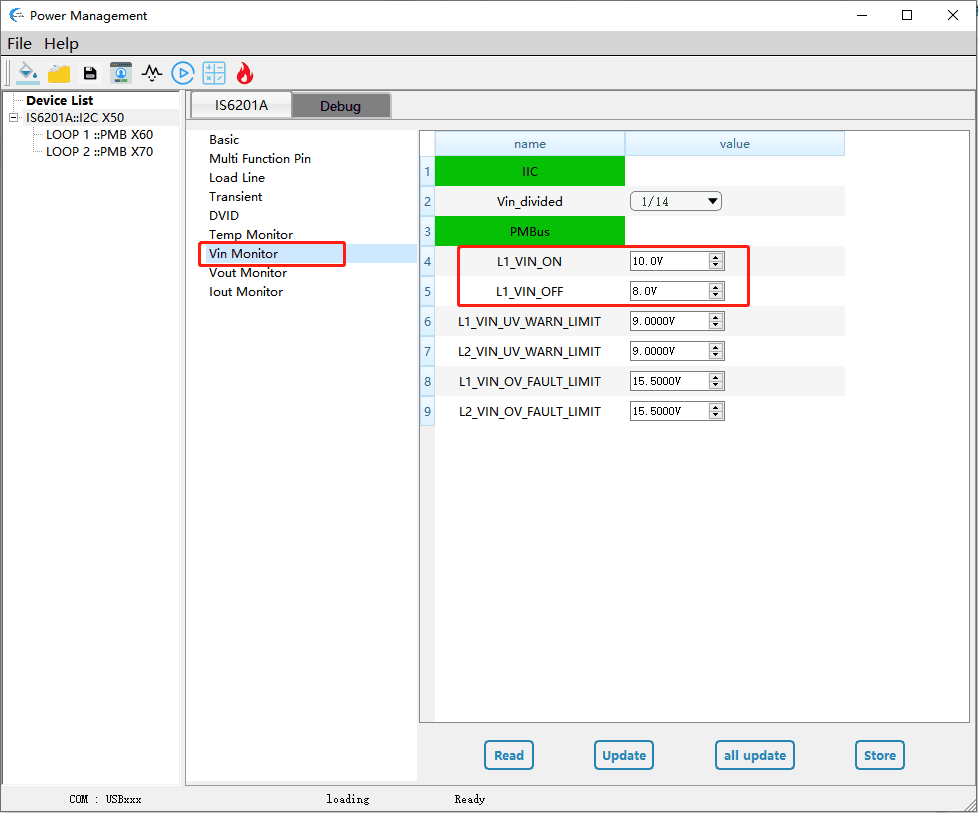
The default input voltage startup threshold is 10V, and the shutdown threshold is 8V. If there are specific requirements, L1_VIN_ON (startup threshold) and L1_VIN_OFF (shutdown threshold) can be modified. Note: ensure a hysteresis gap exists between the two thresholds when modifying.

7. OCP Protection Mode Setting

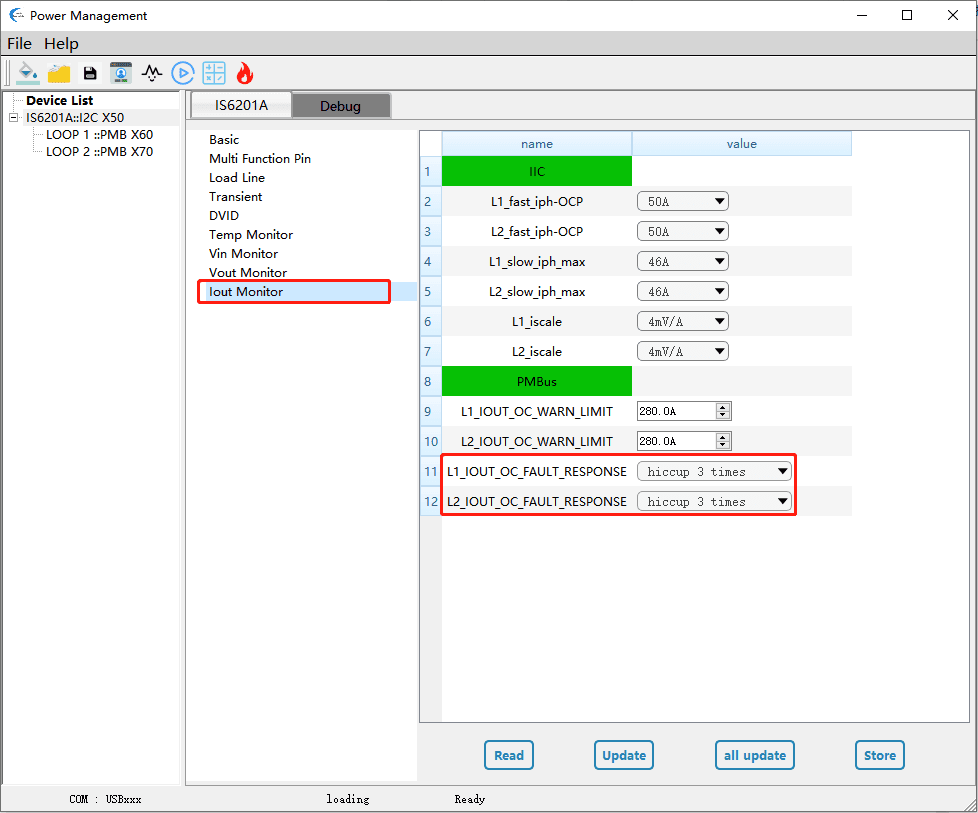
The protection mode can be selected between shutdown and hiccup (including hiccup time). The default OCP protection mode is hiccup 3 times.

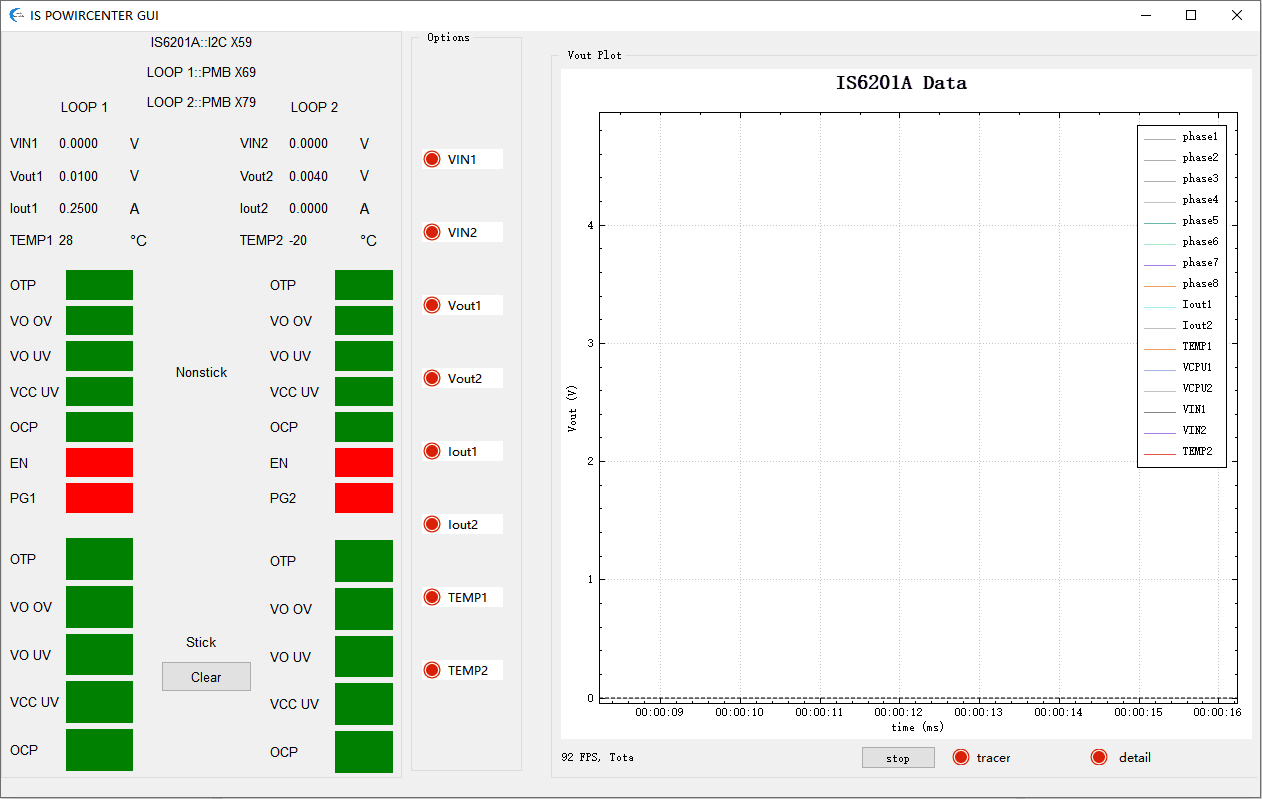
8. Signal Status Monitoring via Readback

After clicking LOAD to scan and find the device address of the established communication link, follow the steps below to open the readback signal monitoring interface for real-time signal data monitoring.

9. Routing/Layout Recommendations

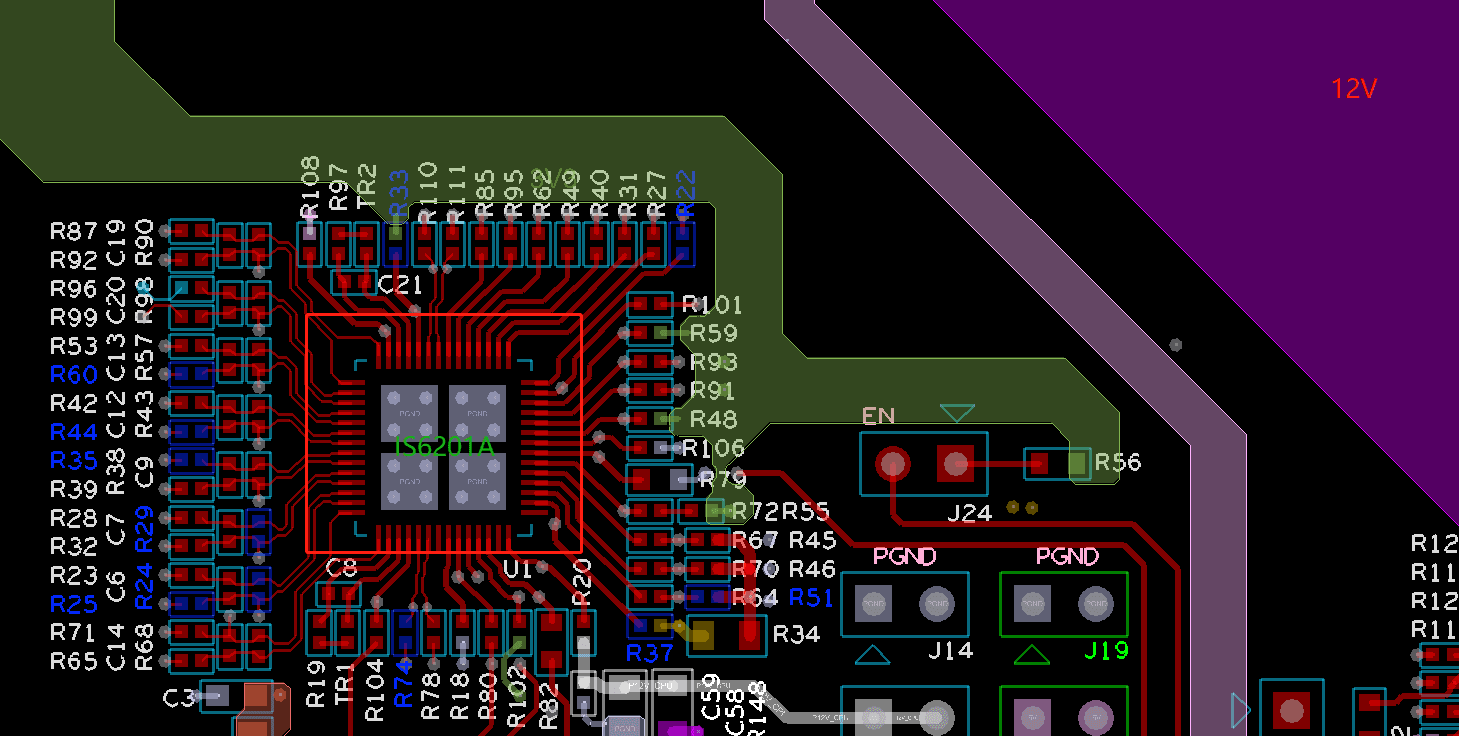
Good peripheral routing/layout can effectively influence the chip's operating efficiency and signal feedback. It is noteworthy that, barring specific requirements, the GUI is not essential for using the IS6201A, but routing/layout is one of the key considerations users must focus on. Below are the routing/layout recommendations, using the IS6201A paired with the DrMOS IS6806A as an example:

1. The IS6201A should not be placed on high current paths. The area directly under the IC should not have 12V copper traces to avoid interference with the IC.

2. The capacitors for VCC (Pin38) and VCCM (Pin41) should be placed on the same layer and close to the respective power pins. The trace widths for VCC and VCCM should both be maintained at 20 mil.

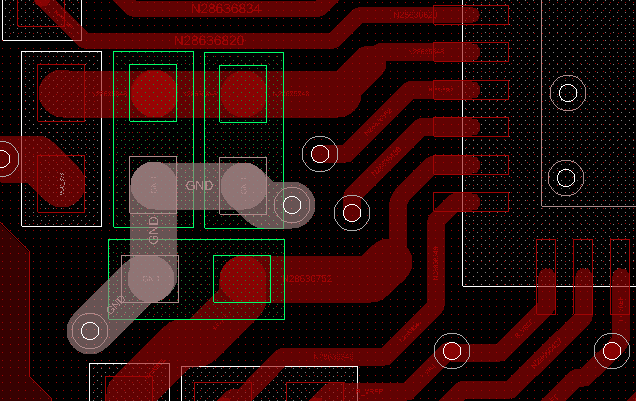
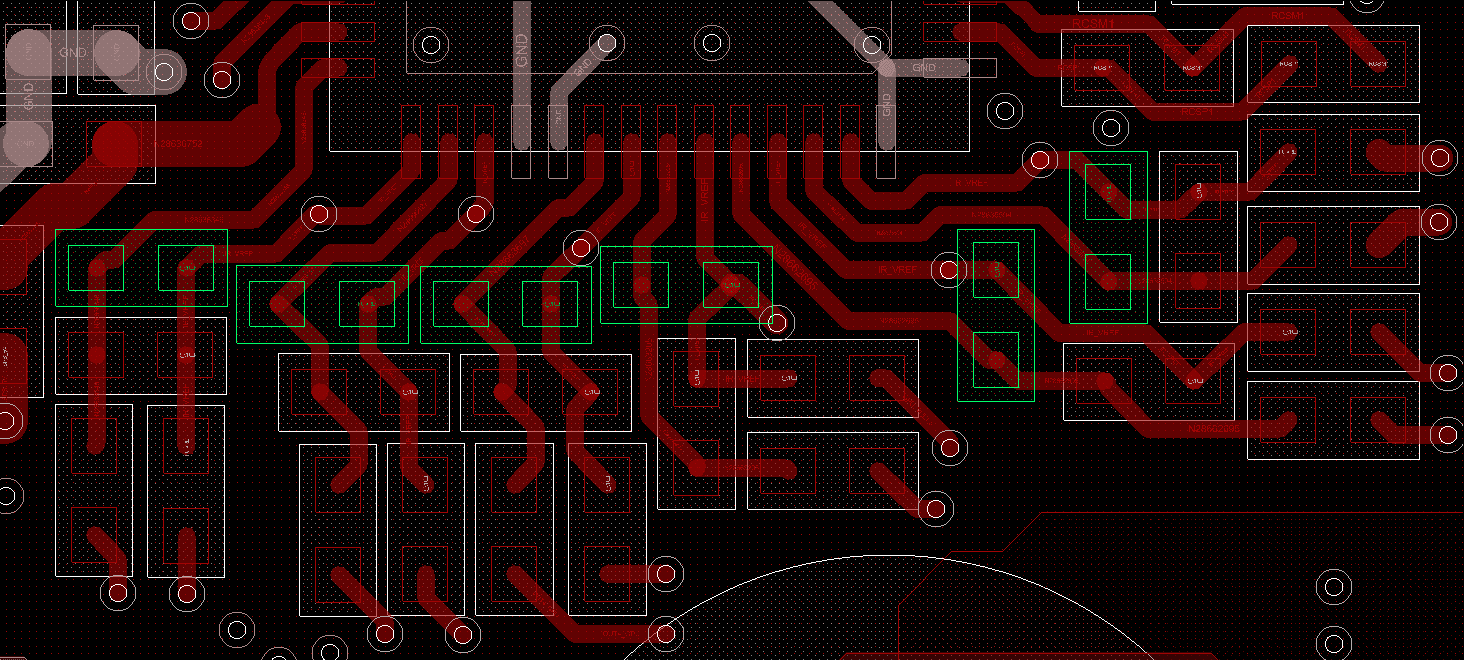
3. The current sense signals ISENx and IRTNx are sensitive traces with strict routing requirements:

① They require differential routing from the DrMOS back to the IS6201A.

② Maintain spacing (>25 mil) from nearby high-interference traces or vias.

③ When the signal traces change layers, avoid crossing high-interference copper areas like 12V. If unavoidable, maintain a large gap.

④ The filter capacitors between ISEN and IRTN should be placed on the same layer as the IC, close to the pins.

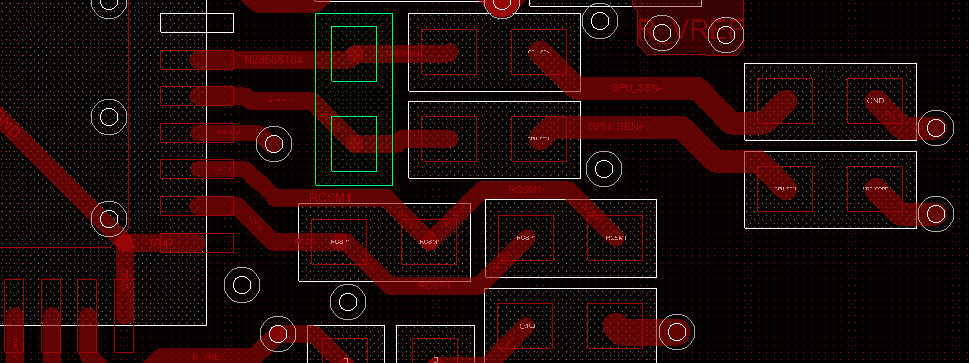
4. The voltage feedback signals VSEN and VRTN are sensitive traces. Routing recommendations are as follows:

① Route a differential pair from the load side back to the IS6201A.

② Maintain spacing (>25 mil) from nearby high-interference traces or vias.

③ It is recommended not to cross high-interference copper areas like 12V when the signal traces change layers. If unavoidable, maintain a large gap.

④ The filter capacitors should be placed on the same layer as the IC, close to the pins.

5. The temperature sense signals TSENx are sensitive traces. Routing recommendations are as follows:

① Connect all TMON signals from phases (within the same Loop) together before routing back to the IS6201A.

② Maintain spacing (>25 mil) from nearby high-interference traces or vias.

6. PWM signals are sources of strong interference. Routing recommendations are as follows:

① Pay attention to avoiding sensitive traces and maintain significant spacing.

② Maintain spacing between PWM signals themselves.

③ Trace width is recommended to be 8-10 mil.

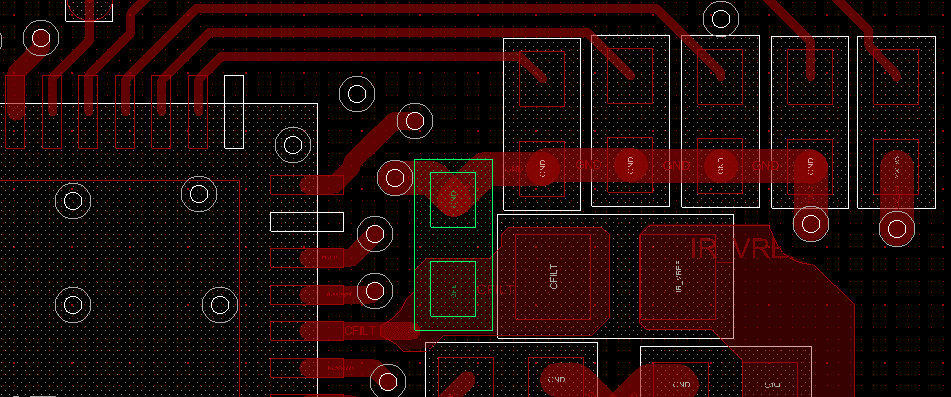
7. The capacitor for CFILT (Pin10) should be placed on the same layer and close to the pin.

【About IVS】

Dongguan IVS Electronics Co., Ltd. was founded in May 2016 and is located in Songshan Lake, Dongguan. The company possesses a professional technical team, adheres to independent forward R&D, and is dedicated to the design of high-performance, low-voltage, high-current power supply chips. Addressing the domestic gap in the CPU power supply field, IVS has launched a complete set of solutions, breaking the monopoly of foreign chips. Products include switching regulators, multiphase controllers, smart power stages, and power modules, which can be widely applied in markets such as servers, computers, communications, and consumer electronics.